
Validate Decimal Input Without Losing The Draft
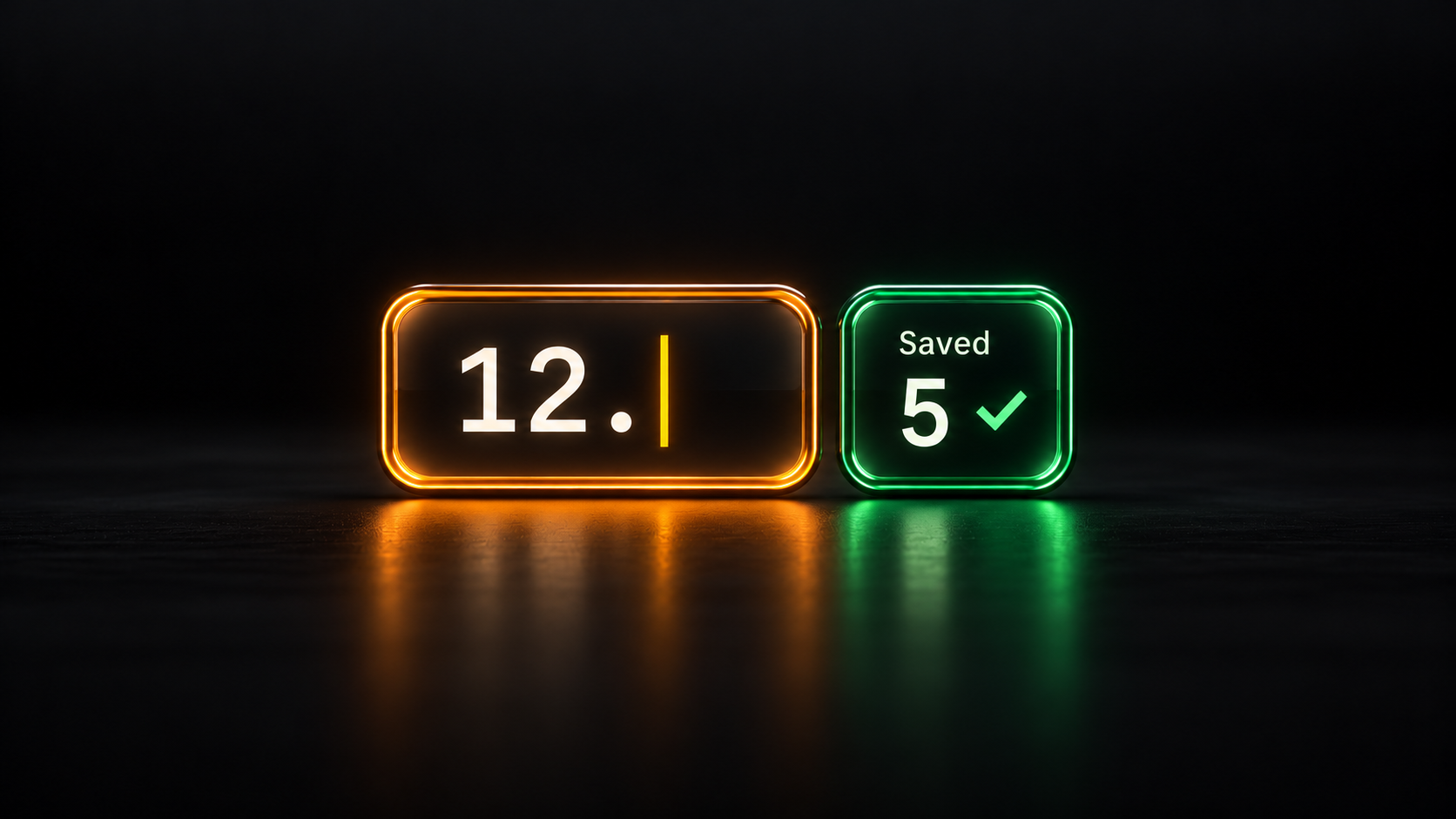
Updated November 4, 2026: the original example allowed exponent notation, and an extreme exponent could become zero before validation. The corrected example rejects exponent notation and signs before conversion, keeping the rejected draft and previously accepted value intact.
Someone is changing a quantity from 12 to 12.50. Halfway through, the field contains 12.. That is a perfectly reasonable edit, even though it is not the text we want to save and display forever.
Now someone pastes 123abc. Finding a number at the front of that string is impressive initiative from a parser. It is not permission to save 123.
We’ll build a small SwiftUI editor with two separate values: the text being edited and the last accepted Decimal. Save validates the whole input. A failed save leaves both the draft and the previous value intact; Cancel restores the accepted value’s formatted text.
Start with the native field
For ordinary numeric editing, SwiftUI already has a useful initializer:
import SwiftUI

struct SimpleAmountField: View {
    @State private var amount: Decimal = 5

    var body: some View {
        TextField("Amount", value: $amount, format: .number)
            .keyboardType(.decimalPad)
    }
}
Apple documents that a value-bound TextField updates its binding when the format style can parse an edit. When parsing fails, the bound value stays unchanged; ending the edit restores the displayed text to the last valid value. If that contract fits the feature, use it.
An answer in the Stack Overflow discussion about numeric formatting while typing already recommends this API. A separate question about decimal entry describes the awkward cursor choreography caused by formatting every edit.
Our requirements are more specific: edits must not change the accepted value until Save, and rejected text must remain available for correction. Those requirements justify owning a String draft.
Fatbobman’s formatting and validation article separates the concerns and discusses localized separators. Daniel Saidi’s form-validation article separates editable form data from a validated request. We’ll apply those distinctions to one field, with an explicit whole-input check and a small numeric policy.
A strict parser is not a whole-input check
This standalone probe illustrates the difference:
import Foundation

func checkDecimalConsumption() throws {
    let style = Decimal.FormatStyle(locale: Locale(identifier: "en_US"))
    let strategy = Decimal.ParseStrategy(format: style, lenient: false)

    print(try strategy.parse("123abc"))
    print("123abc".wholeMatch(of: style) == nil)
}
Calling this function on the tested macOS 27.2 runtime prints 123 and true. Turning off leniency did not require the parser to consume the suffix. In our iOS 27.2 comparison fixture, pasting that same string into a native Decimal field also changed its bound value to 123. These are observations for this formatter and runtime, not a claim about every format style.
Decimal.FormatStyle can participate in Swift’s regex matching. Applying wholeMatch asks whether the component consumed the entire string, and the match’s output is already a Decimal. Apple’s localized decimal matching documentation describes the locale-dependent interpretation. We do not need to invent an ASCII regular expression for French grouping spaces or Arabic decimal digits.
The matching support requires iOS 16 or macOS 13. The complete iOS example below uses Swift 6, verified with Xcode 27.2 and Swift 6.4.2. It does not require an iOS 27-only number-entry API.
Decide what this particular quantity allows
Whole-input matching answers a parsing question. The product still needs rules. Our example accepts:
- A value from zero through 10,000, inclusive, that is an exact multiple of 0.01.
- Surrounding whitespace, removed only when attempting Save.
- Positional decimal digits and the session locale’s decimal and grouping separators. This example excludes signs, exponent notation and algorithmic numeral formats.
- At most 64 UTF-16 code units and 18 Unicode numeric characters after trimming, checked before conversion.
The last two rules work together. Decimal has finite precision: in a boundary probe, 1, a decimal point, 39 zeros and a final 1 fully matched but became 1. A character budget alone is insufficient if exponents are allowed. In another probe, the short input 1e-2147483648 became zero, although its mathematical value is nonzero. Whole-input matching cannot recover precision already lost during conversion.
With at most 18 digits and no exponent, an accepted spelling cannot hide an enormous scale in a short string. The localized matcher still validates separator placement; the character check is not a replacement parser.
The fractional rule concerns the value, not the number of characters after a separator. In the tested US locale, 1.2300 is allowed. So is 12.: it remains unchanged during editing and becomes 12 after a successful Save. Exponent spellings such as 123e-2 are deliberately rejected even when their value would fit. This is a measured-quantity example, not a general currency or financial-rounding component.
Give the draft its own lifetime
Put this model in AmountDraft.swift. It has no SwiftUI dependency:
import Foundation

nonisolated struct AmountDraft {
    private(set) var committed: Decimal
    private(set) var text: String
    private(set) var error: String?
    let locale: Locale

    private var style: Decimal.FormatStyle {
        Decimal.FormatStyle(locale: locale)
    }

    init(value: Decimal, locale: Locale) {
        precondition(Self.allows(value), "The initial quantity must be valid.")
        committed = value
        self.locale = locale
        text = value.formatted(Decimal.FormatStyle(locale: locale))
    }

    private static func allows(_ value: Decimal) -> Bool {
        guard !value.isNaN, value >= 0, value <= 10_000 else { return false }
        var original = value
        var rounded = Decimal()
        NSDecimalRound(&rounded, &original, 2, .plain)
        return rounded == value
    }

    mutating func edit(_ input: String) {
        text = input
        error = nil
    }

    @discardableResult
    mutating func save() -> Bool {
        let input = text.trimmingCharacters(in: .whitespacesAndNewlines)
        guard input.utf16.count <= 64,
              input.unicodeScalars.filter({
                  $0.properties.numericType != nil
              }).count <= 18 else {
            error = "Enter a shorter quantity."
            return false
        }
        // This field accepts positional decimal digits and the session
        // locale's canonical separators; no signs or exponent notation.
        let separators = Set(((locale.decimalSeparator ?? "") +
            (locale.groupingSeparator ?? "")).unicodeScalars)
        let hanDecimalDigits = "〇一二三四五六七八九".unicodeScalars
        guard input.unicodeScalars.allSatisfy({
            $0.properties.numericType == .decimal ||
            hanDecimalDigits.contains($0) || separators.contains($0)
        }) else {
            error = "Use decimal digits and the local decimal or grouping separator."
            return false
        }
        guard let value = input.wholeMatch(of: style)?.output else {
            error = "Enter a complete number."
            return false
        }
        guard Self.allows(value) else {
            let maximum = Decimal(10_000).formatted(style)
            let step = (Decimal(1) / 100).formatted(style)
            error = "Use a value from 0 to \(maximum) in steps of \(step)."
            return false
        }
        committed = value
        text = value.formatted(style)
        error = nil
        return true
    }

    mutating func cancel() {
        text = committed.formatted(style)
        error = nil
    }
}
edit stores exactly what it receives. It does not strip punctuation, insert grouping separators, or convert a temporary empty field into zero. Clearing the previous error means the next Save attempt evaluates the corrected draft without complaining about every keystroke.
Save performs conversion and domain validation before assigning committed. Rounding is only a test: if rounding to two fractional places changes the value, we reject it. We never replace the proposed quantity with its rounded neighbor.
The initializer’s precondition is for app-owned, already-validated starting data. Validate values loaded from a file or service before constructing the editor; a precondition is not a recoverable import error.
The character budget counts every Unicode numeric category. Checking only .decimal misses characters such as Chinese 一, which a Han-decimal number format can parse. The spelling check separately permits Unicode decimal digits and the ten Han-decimal digits. Han-decimal represents digits positionally; it is distinct from algorithmic systems such as Chinese financial numerals, which are outside this sample’s scope.
The separator policy is intentionally narrow. For example, a French grouping space must be the locale’s grouping separator, not whichever space character happens to look similar. If accepting alternate spellings is a product requirement, add and test those spellings explicitly.
Pass a fixed locale such as Locale.current, rather than Locale.autoupdatingCurrent. The model keeps that interpretation for the editing session. Otherwise, an environment change could reinterpret a comma halfway through someone’s work. Start a new draft deliberately when the record or editing locale changes.
Bind SwiftUI to the text
Put this view in AmountEditor.swift in the same iOS target. Present AmountEditor() from your existing app’s view hierarchy:
import SwiftUI

struct AmountEditor: View {
    @State private var draft: AmountDraft
    @FocusState private var editing: Bool

    init(value: Decimal = 5, locale: Locale = .current) {
        _draft = State(initialValue: AmountDraft(value: value, locale: locale))
    }

    var body: some View {
        Form {
            Section("Quantity") {
                TextField("Amount", text: Binding(
                    get: { draft.text },
                    set: { draft.edit($0) }
                ))
                .keyboardType(.decimalPad)
                .textInputAutocapitalization(.never)
                .autocorrectionDisabled()
                .focused($editing)

                if let error = draft.error {
                    Text(error).foregroundStyle(.red)
                }
            }

            Section {
                Text("Saved: \(draft.committed.formatted(.number.locale(draft.locale)))")

                HStack {
                    Button("Save") {
                        if draft.save() { editing = false }
                    }
                    Button("Cancel") {
                        draft.cancel()
                        editing = false
                    }
                }
                .buttonStyle(.bordered)
            }
        }
    }
}
This demo’s Save updates the view’s local accepted value; it does not write to disk or a server. In an app, pass that validated value to the existing save layer and give persistence failures their own state. A network request failing is different from someone typing an extra decimal place.
SwiftUI retains the @State draft for this view’s identity. Recomputing the parent does not reload the initial value. That protects edits, but also means this initializer is not a synchronization channel for a changing record. Present a new editor identity when intentionally starting another session; do not reset it on every update.
The decimal keypad makes entry convenient. Paste and hardware input still need validation. We also leave focus loss alone: tapping elsewhere does not silently commit or discard the draft. The two visible buttons define those actions, including on keyboards without a Return key.
Errors have visible text as well as color. This sample does not implement a VoiceOver announcement policy; the form-validation article covers deliberate submission summaries and separate accessibility focus. Localize the English messages through your app’s string catalog when adapting the sample.
Test the boundary, then the editing
This standalone check can live beside the model in a small executable or be adapted to your test target. Call checkAmountDraft() from the executable’s entry point to run its assertions:
import Foundation

func checkAmountDraft() {
    var draft = AmountDraft(value: 5, locale: Locale(identifier: "fr_FR"))
    draft.edit("12,50")
    precondition(draft.committed == 5)
    precondition(draft.save())
    precondition(draft.committed == Decimal(1250) / 100)

    draft.edit("123abc")
    precondition(!draft.save())
    precondition(draft.text == "123abc")
    precondition(draft.committed == Decimal(1250) / 100)

    draft.edit("1e-2147483648")
    precondition(!draft.save())
    precondition(draft.text == "1e-2147483648")
    precondition(draft.committed == Decimal(1250) / 100)

    draft.cancel()
    precondition(draft.error == nil)
    precondition(draft.text == draft.committed.formatted(
        Decimal.FormatStyle(locale: draft.locale)
    ))
}
Also check empty input, signs and exponent spellings, invalid grouping, too many digits, negative and out-of-range values, and quantities such as 12.345 that must not be rounded into acceptance. Use exact decimal construction in expectations instead of detouring through Double.
For UI checks, keep 12. intact through a parent refresh, correct a rejected value, paste trailing junk, and insert characters in the middle of an existing value. Test a comma-decimal locale separately. Those interactions catch mistakes that a successful parser unit test cannot.
Verification, November 4: the exact corrected examples compile with Xcode 27.2 / Swift 6.4.2, including the complete SwiftUI views for an iOS 16 target and the declarations split into separate files, in ordinary and MainActor-default isolation modes. Model checks run on macOS 27.2 and in the iOS test app, including Han-decimal input and rejection of the extreme exponent. Native iOS 27.2 Simulator interaction tests pass in both modes for draft retention, Save/Cancel, correction, locale changes, middle-cursor editing and the Paste menu. Physical-device input, composing input methods and VoiceOver speech were not tested. The older deployment target was compiled, not run.
The field can contain unfinished work. The accepted value can remain dependable. Keeping those two facts separate gives the Save button a much clearer job.